Buying through an affiliate link on Substrate & Stem may earn us a commission at no added cost to you. How affiliate links fund this site
If you type for hours a day and want a mechanical keyboard under about $70, these three listings cover the main trade-offs: a 60% magnetic-switch board, a budget hot-swap 60%, and a 75% gasket-mounted Hall effect board. None has been independently tested here; what follows is what each seller advertises, plus the questions worth asking before you buy.
The short answer
For pure typing comfort, layout is the first fork in the road. A 60% board drops the function row, navigation keys and number pad, which frees desk space and keeps your mouse hand closer in — but it moves F-keys and arrow access onto layers you trigger with a function key. If you write in spreadsheets, code with heavy use of Home/End, or simply dislike hunting for arrows, a 75% layout keeps a dedicated function row and arrow cluster and is usually the easier transition.
The second fork is switch type. Conventional mechanical switches (the blue/red/brown family) actuate at a fixed point. Magnetic hall effect switches detect how far the key is pressed, which lets the seller offer adjustable actuation points and features like rapid trigger. Magnetic boards can feel smooth and are genuinely adjustable, but they require software (or a web driver) to configure, and they use a specific switch type — you cannot drop in any standard MX-style switch.
Here is how the three keyboards in this roundup compare on the specifications each seller states:
Comparison table
| Feature | FUN60 (Akko MonsGeek) | NK61 (AJAZZ) | HE80 (EPOMAKER) |
|---|---|---|---|
| Layout | 60% | 60% (61 keys, per listing image) | 75%, US QWERTY |
| Switch type | Magnetic (Hall effect / TMR, per listing image) | Not verified | Hall effect magnetic |
| Hot-swappable | Not verified | Yes, full-key (per listing title) | Yes (per listing title) |
| Connection | Not verified | Wired | Wired |
| Mounting | Not verified | Not verified | Gasket (per listing title) |
| Advertised price | $33.29 | $20.39 | $69.99 |
| Best-fit typing use | Adjustable actuation for fast typists willing to configure | Lowest-cost entry; switch choice still open | Typists who want a function row and softer mount |
"Not verified" means the seller's listing title, description or image supplied here did not state that detail. It does not mean the feature is absent from the product page — check the listing's specification panel before ordering.
Akko MonsGeek FUN60: adjustable actuation in a 60% frame

Verify PCB switch socket pin count (3-pin vs 5-pin) and LED orientation prior to purchasing Cherry-profile switch sets.
The FUN60 listing advertises a 60% board with magnetic switches and features aimed at fast, precise keypresses: a "rapid trigger" function, an adjustable actuation figure of 0.01mm, an 8K polling rate, and a web-based driver for configuration. These are the seller's claims; the 0.01mm figure in particular refers to the adjustment granularity the seller advertises, and independent measurement of that figure has not been carried out here.
For a typist, the practical relevance is this: adjustable actuation means you can set how far a key must travel before it registers. Some people like a short, light actuation for speed; others prefer a deeper press to avoid accidental keystrokes. The web driver is a plus if you dislike installing proprietary software. What the supplied data does not state is whether the board is hot-swappable or what connection options it offers beyond what the title claims — ask the seller before buying if swapability matters to you, since magnetic switches are not interchangeable with conventional ones.
Who it suits
Writers and coders who already know they like a compact layout, want adjustable actuation, and are comfortable configuring settings in a browser-based tool. If you have never used a 60% board, be ready to access F-keys and arrows through a function layer.
AJAZZ NK61: the cheapest way to try mechanical typing
Verify PCB switch socket pin count (3-pin vs 5-pin) and LED orientation prior to purchasing Cherry-profile switch sets.
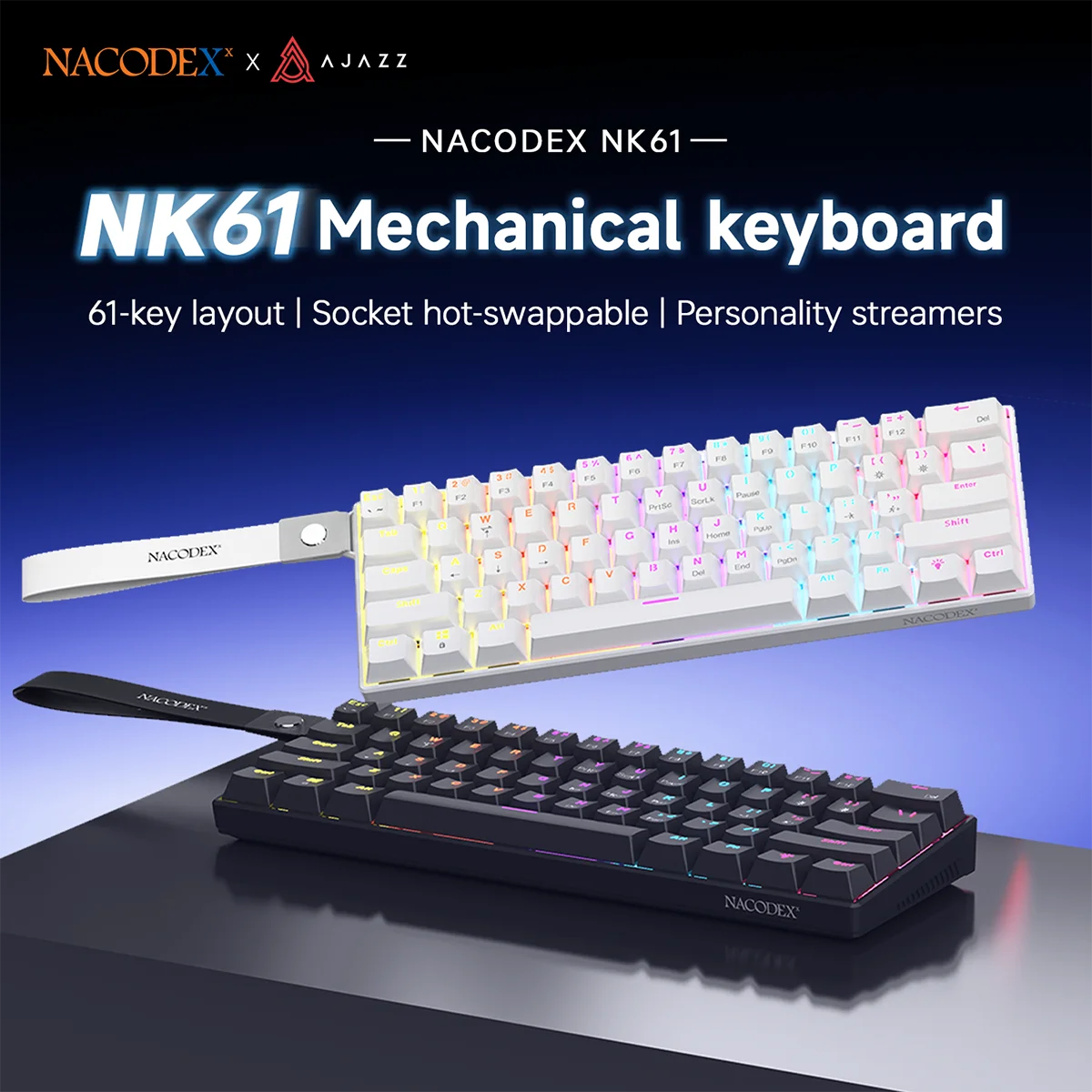
The NK61 listing is the budget option at $20.39, and it advertises full-key hot-swapping — meaning the seller claims you can pull out and replace every switch without soldering. That single feature makes it a useful starting point: you can buy the board, try the switches it ships with, and later swap in a different set if the feel is not right for you. The listing image shows a 61-key layout and labels it "socket hot-swappable."
What is not verified from the supplied data is the switch type included in the price, the connection details beyond "wired," or the keycap material. Switch type is the biggest open question here, since a clicky blue switch and a quiet linear red switch produce very different typing experiences. Ask the seller which switch options are available in the variant you want, and whether extra switches are included.
Who it suits
First-time mechanical keyboard buyers, or anyone who wants a low-cost hot-swap platform to experiment with switch feel. It is also reasonable if you type in short bursts and do not need a dedicated function row.
EPOMAKER HE80: the 75% option with a gasket mount
Verify PCB switch socket pin count (3-pin vs 5-pin) and LED orientation prior to purchasing Cherry-profile switch sets.
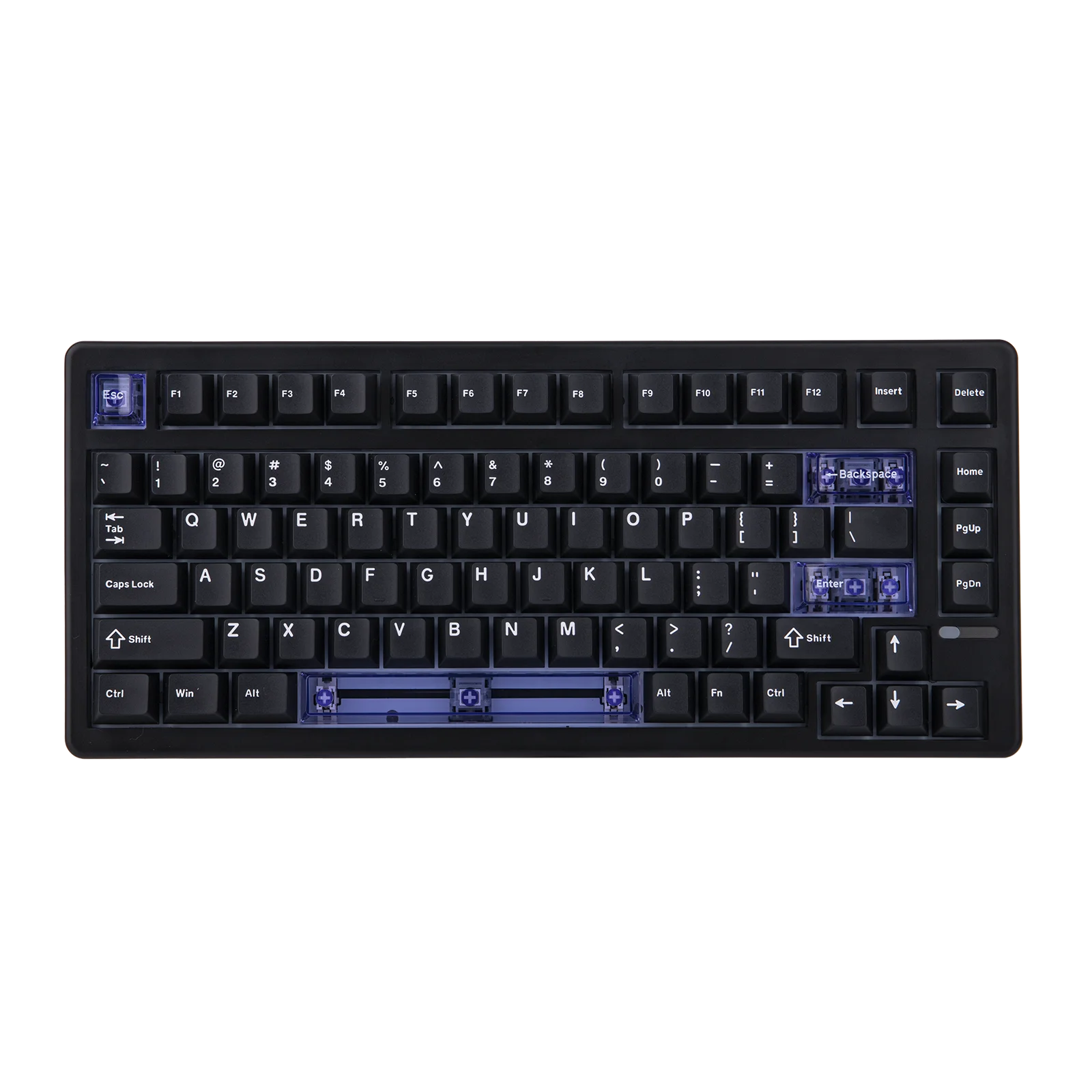
The HE80 is the most expensive of the three at $69.99, and it is the only one that combines a 75% layout with a gasket-mounted design and Hall effect magnetic switches. The listing title also mentions "DKS SOCD" and support for PC/Mac. Gasket mounting uses flexible pieces between the plate and case instead of rigid screws; sellers describe the result as a softer, more cushioned typing feel, though how soft any particular board feels in practice depends on materials and construction that are not specified here.
The 75% layout is the standout feature for typists: you keep a full function row and arrow keys without the footprint of a full-size board. If your work involves constant F-key shortcuts or spreadsheet navigation, this is the layout most likely to feel familiar from day one. The Hall effect switches offer the same adjustable-actuation category of benefits as the FUN60, but this listing adds hot-swap support in the title — although whether it accepts conventional MX-style switches or only magnetic ones is not verified from the data supplied. Confirm that with the seller before buying switches separately.
Who it suits
Typists upgrading from a full-size or tenkeyless keyboard who want to keep a function row, and who are willing to pay for a gasket mount and magnetic switches. It is also the most Mac-agnostic of the three on paper, given the PC/Mac claim in the listing title.
Supporting accessories
Two accessory listings were included in this roundup. Neither is a keyboard, and both are optional depending on whether you choose a hot-swappable board.
Verify PCB switch socket pin count (3-pin vs 5-pin) and LED orientation prior to purchasing Cherry-profile switch sets.
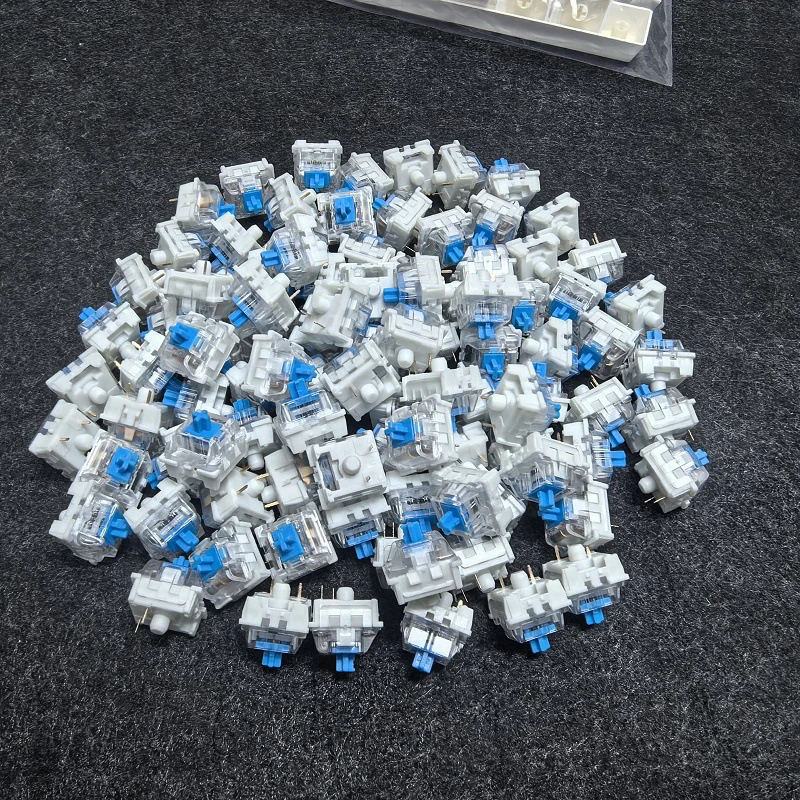
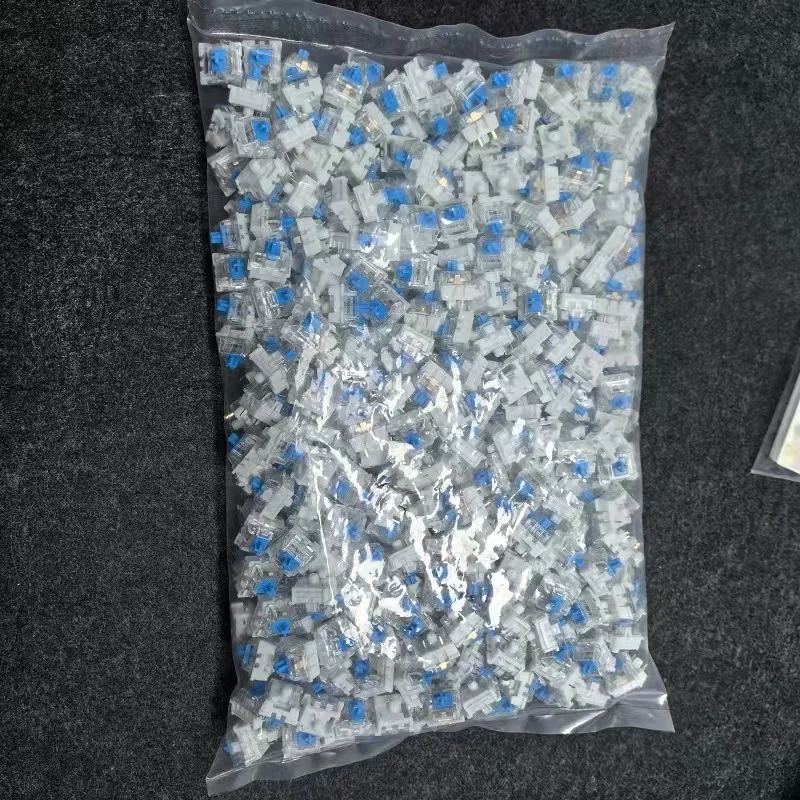
This listing advertises blue, red and brown mechanical switches in a 20 to 100 piece range, with 3-pin cross-stem construction and hot-swap compatibility. If you buy the NK61 or another hot-swap board, this is the kind of listing you would browse to change switch feel. The pin count matters: 3-pin switches fit boards designed for either 3-pin or 5-pin sockets, but a board that requires 5-pin switches may not hold 3-pin ones securely. The supplied data does not state which boards this switch listing is compatible with, so confirm socket type with both sellers before ordering.

Verify PCB switch socket pin count (3-pin vs 5-pin) and LED orientation prior to purchasing Cherry-profile switch sets.
This accessory kit is advertised as containing a keycap puller, switch puller, lubrication tools and tweezers. It is the kind of kit useful for anyone who plans to swap switches or maintain a hot-swap board. The listing does not specify which switch types the puller is designed for, and images may show items not included in every variant — check the exact package contents with the seller before relying on any specific tool being present.
What to check before you buy
Marketplace listings change variants frequently, and the details that matter most for typing are often buried in a specification panel or a variant selector rather than the title. Before placing an order on any of these boards, here are the questions worth confirming:
- Which switch is in the variant you are selecting? Titles often list multiple switch types; the price may change with your choice.
- Is the board hot-swappable, and with what? Magnetic switches and conventional MX-style switches use different sockets. Hot-swap with one does not imply compatibility with the other.
- What is in the box? Confirm whether keycaps and switches are included, or whether the listing is for a barebones kit.
- What operating systems does the configuration software support? Adjustable actuation features require software or a web driver; confirm it works on your machine.
- Does the layout match how you actually work? A 60% board is compact but requires layer access for F-keys and arrows. If you are not sure, a 75% layout is the gentler transition.
- Does your destination support delivery of this exact variant? Availability varies by region and SKU; confirm at checkout rather than assuming.
Bottom line
There is no single "best" mechanical keyboard for typing — only the best match between layout, switch feel and your willingness to configure settings. The FUN60 suits typists who want adjustable actuation in a compact frame and are comfortable with a web driver. The NK61 is the low-risk way to try mechanical typing, with full hot-swapping as an escape hatch if the stock switches disappoint. The HE80 is the most complete package for someone who wants a function row, a softer gasket mount, and magnetic switches, and is willing to pay roughly three times the NK61's price for it.
Whichever you choose, treat the seller's specifications as a starting point for your own questions, not as a substitute for trying the board. Ask the specific questions above, confirm your variant at checkout, and buy from a seller whose return terms you understand.
Disclosure: This article contains affiliate links. Substrate & Stem may earn a commission on purchases made through these links, at no additional cost to you. Product details were captured from marketplace listings on 23 October 2026 and reflect seller-advertised claims, not independent testing or verification.